Linux Boot Process Explained
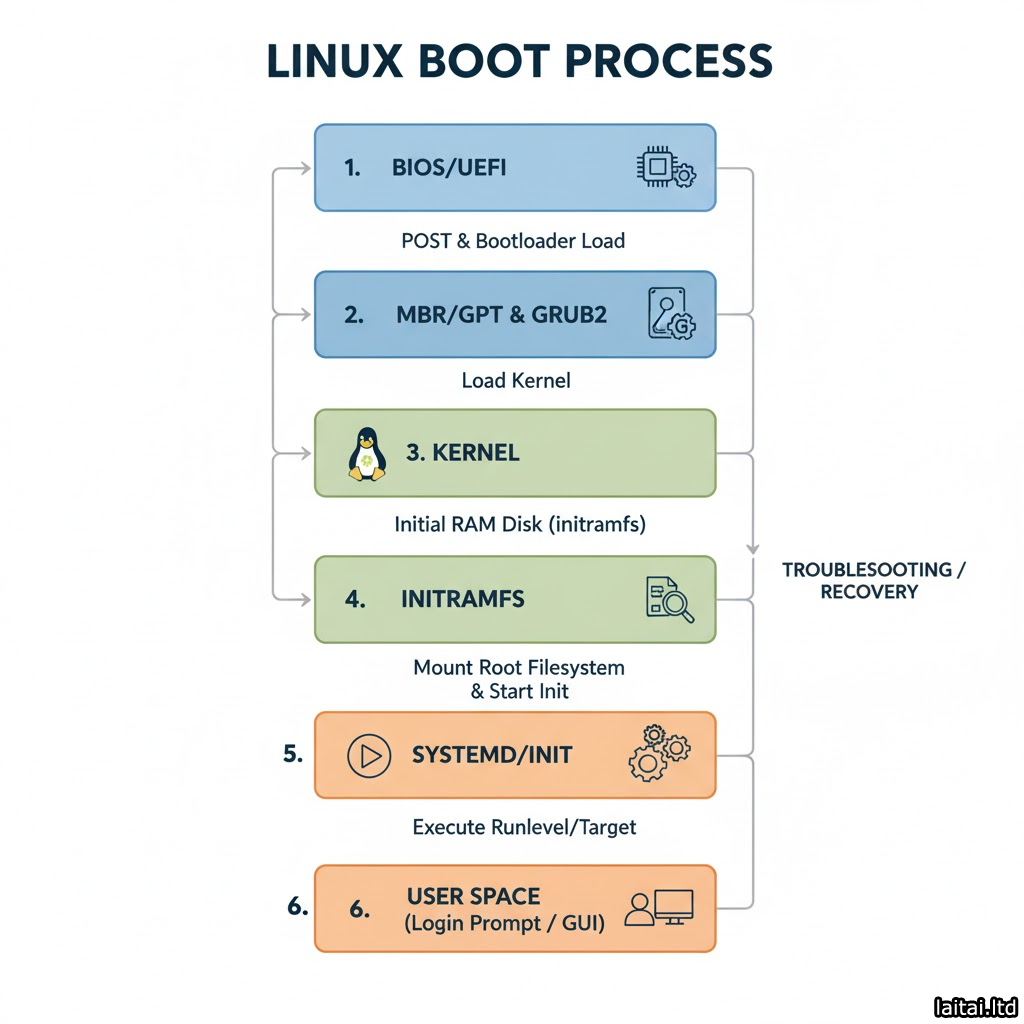
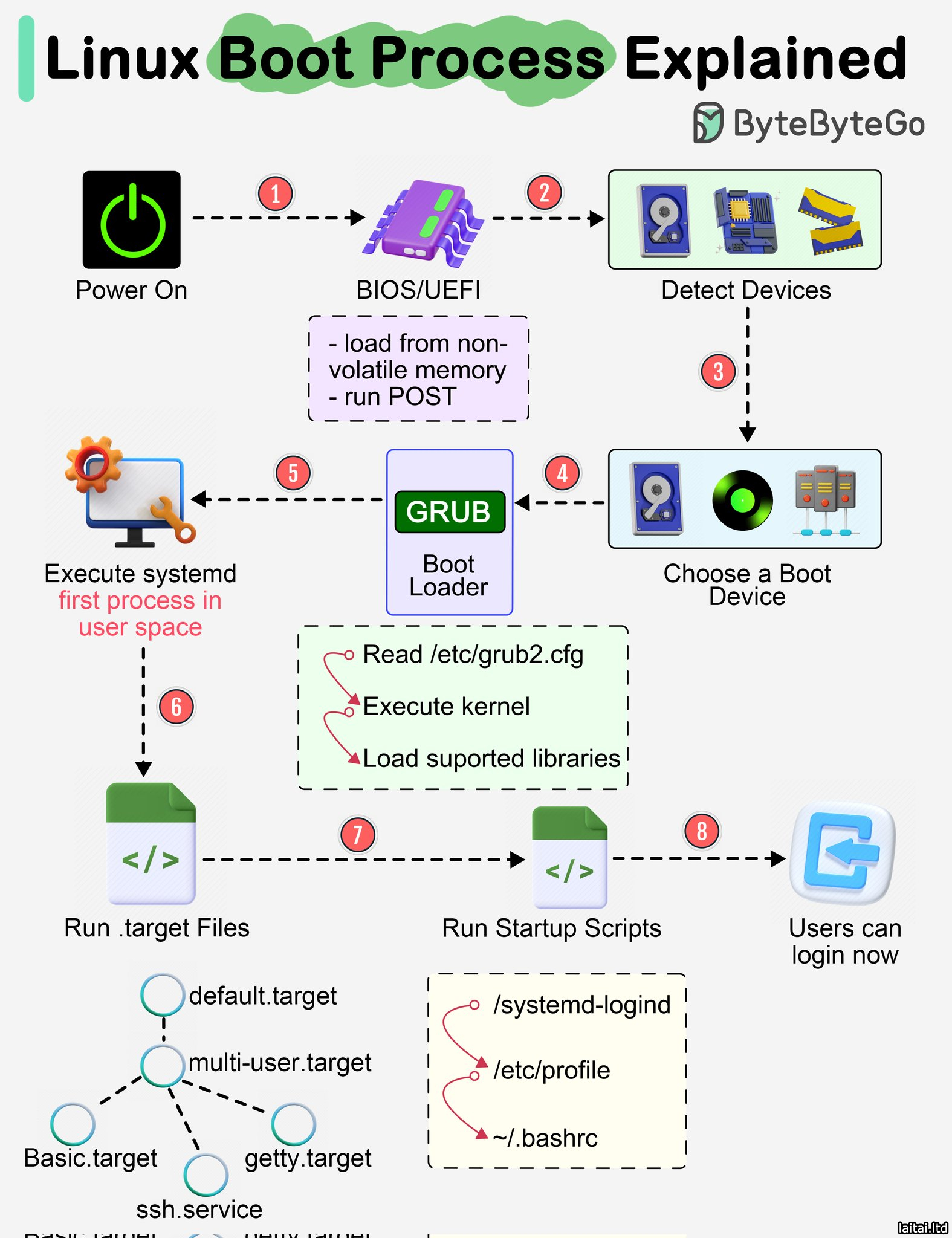
- Power On
→ The boot process starts when the computer is powered on.
→ The system hardware initializes and control is handed to BIOS or UEFI.
→ BIOS/UEFI is stored in non-volatile memory and performs POST (Power-On Self Test) to check hardware integrity.
- BIOS/UEFI Initialization
→ Detects and initializes hardware devices such as CPU, RAM, disk drives, and peripherals.
→ Determines the bootable devices (like hard drive, USB, or network).
→ Once hardware detection is complete, control moves to the Bootloader.
- Boot Device Selection
→ BIOS/UEFI selects the boot device based on configuration order.
→ The boot device contains the bootloader (e.g., GRUB).
→ The system reads the boot sector to locate the bootloader program.
- GRUB (Boot Loader)
→ GRUB (GRand Unified Bootloader) is loaded from the selected device.
→ Reads the configuration file /etc/grub2.cfg.
→ Displays a boot menu (if configured) to select the desired kernel or OS version.
→ Loads the chosen Linux kernel into memory.
→ Loads essential kernel modules and libraries required for booting.
- Kernel Initialization
→ The Linux kernel decompresses itself and initializes system components.
→ Detects hardware components and mounts the root filesystem (/).
→ Starts the first user-space process — usually systemd.
→ Switches from kernel mode to user mode.
- systemd Execution
→ systemd is the first process in user space (PID 1).
→ Responsible for initializing all other services and targets.
→ Reads configuration files from /etc/systemd/system/.
→ Activates target files like:
→ basic.target
→ multi-user.target
→ getty.target
→ ssh.service
- Running Startup Scripts
→ Executes system-wide and user-specific startup scripts.
→ Examples:
→ /etc/profile
→ /systemd-logind
→ ~/.bashrc
→ These scripts set up the user environment and background services.
- User Login
→ Once all startup scripts and targets are executed, the login screen appears.
→ Users can now log in via terminal, GUI, or SSH.
→ System is now in a fully operational multi-user state.
If you want to master Linux, grab this handbook pdf;
codewithdhanian.gumroad.com/l/dynwdc
